Reliable Event Publishing: Outbox Pattern with PostgreSQL, Debezium, and Kafka
The Outbox pattern is a widely used technique for ensuring that database updates and message publishing happen atomically - without the complexity of two-phase commits (2PC). A common approach is to update your data and insert a message into an outbox table within the same transaction, then have a process that polls the table and sends messages to a messaging platform like RabbitMQ or Kafka. This method works for simple scenarios, but it has several drawbacks: polling adds latency, increases database load, and can make scaling difficult.
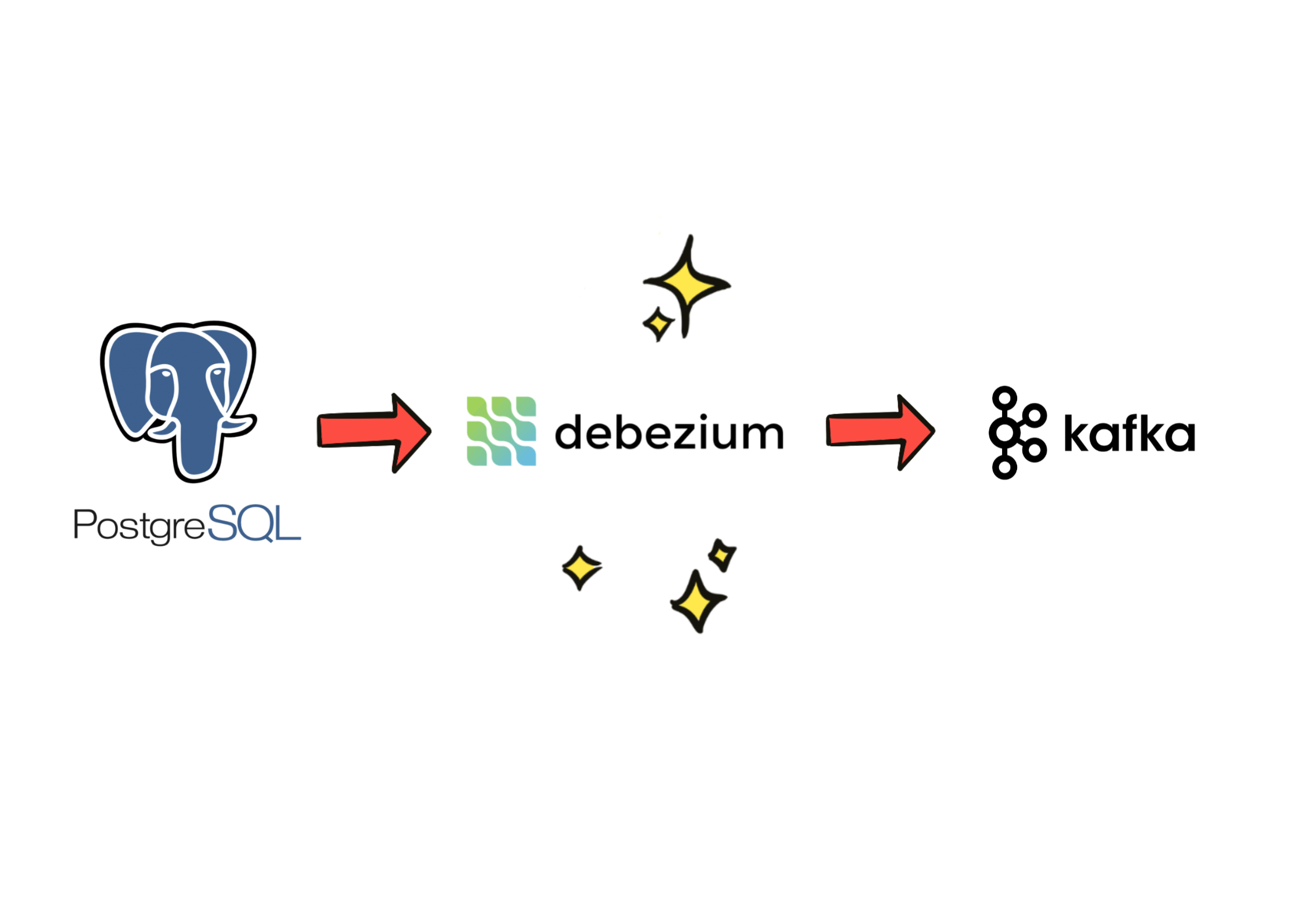
A more effective Outbox pattern implementation alternative is to use change data capture (CDC) with an open-source tool like Debezium, which can automatically stream your database changes to your messaging system. In this post, I’ll show how to set it up using PostgreSQL and Kafka.
Setting Up PostgreSQL, Kafka, and Debezium
First, let's define PostgreSQL, Kafka, and Debezium containers for Docker Compose:
services:

  postgres:
    image: postgres
    environment:
      POSTGRES_USER: postgres
      POSTGRES_PASSWORD: password
      POSTGRES_DB: postgres
    ports:
      - "5432:5432"
    command: ["postgres", "-c", "wal_level=logical", "-c", "max_replication_slots=4", "-c", "max_wal_senders=4"]
    volumes:
      - pgdata:/var/lib/postgresql

  pgadmin:
    image: dpage/pgadmin4
    environment:
      PGADMIN_DEFAULT_EMAIL:
      PGADMIN_DEFAULT_PASSWORD: password
    ports:
      - "8081:80"

  redpanda:
    image: redpandadata/redpanda
    command:
      - redpanda
      - start
      - --overprovisioned
      - --smp 1
      - --memory 1G
      - --reserve-memory 0M
      - --node-id 0
      - --check=false
      - --kafka-addr PLAINTEXT://0.0.0.0:9092,OUTSIDE://0.0.0.0:29092
      - --advertise-kafka-addr PLAINTEXT://redpanda:9092,OUTSIDE://redpanda:29092
    ports:
      - "9092:9092"     # Kafka API
      - "29092:29092"   # Internal Kafka API (for other containers)
      - "8082:8082"     # Admin API
    volumes:
      - redpanda-data:/var/lib/redpanda/data

  redpanda-console:
    image: redpandadata/console
    depends_on:
      - redpanda
    environment:
      REDPANDA_ADMIN: redpanda:8082
      KAFKA_BROKERS: redpanda:9092
    ports:
      - "8080:8080"

  debezium-connect:
    image: quay.io/debezium/connect
    depends_on:
      - redpanda
      - postgres
    ports:
      - "8083:8083"
    environment:
      BOOTSTRAP_SERVERS: redpanda:9092
      GROUP_ID: 1
      CONFIG_STORAGE_TOPIC: connect_config
      OFFSET_STORAGE_TOPIC: connect_offsets
      STATUS_STORAGE_TOPIC: connect_status
      KEY_CONVERTER: org.apache.kafka.connect.json.JsonConverter
      VALUE_CONVERTER: org.apache.kafka.connect.json.JsonConverter
      CONFIG_STORAGE_REPLICATION_FACTOR: 1
      OFFSET_STORAGE_REPLICATION_FACTOR: 1
      STATUS_STORAGE_REPLICATION_FACTOR: 1

volumes:
  pgdata:
  redpanda-data:
You might be wondering why we’re using Redpanda, a Kafka-like streaming platform, instead of Kafka. I chose Redpanda for this demo because it’s lighter and easier to run, while remaining fully compatible with Kafka clients. Don’t worry - you could swap it with Kafka without any application level changes.
Notice the command arguments for the PostgreSQL container. These settings enable WAL (Write-Ahead Log), which PostgreSQL uses to record data changes in real-time, which is what makes CDC possible.
Once your Docker Compose file is ready, run:
docker compose up -dIf anything refuses to start on the first try, just nuke the volumes and try again - I’ve done that more times than I want to admit.
With all services up and running, you should be able to access PostgreSQL Admin at localhost:8081 and Redpanda Console at localhost:8080.
Creating PostgreSQL Tables and Setting Up Replication
Next, we'll create users and outbox tables:
CREATE TABLE users (
    id UUID PRIMARY KEY DEFAULT gen_random_uuid(),
    username VARCHAR(50) NOT NULL UNIQUE,
    email VARCHAR(100) NOT NULL UNIQUE,
    created_at TIMESTAMPTZ DEFAULT NOW(),
    updated_at TIMESTAMPTZ DEFAULT NOW()
);

CREATE TABLE outbox (
    id UUID PRIMARY KEY DEFAULT gen_random_uuid(),
    aggregate_type VARCHAR NOT NULL,
    aggregate_id VARCHAR NOT NULL,
    event_type VARCHAR NOT NULL,
    payload JSONB NOT NULL,
    created_at TIMESTAMPTZ DEFAULT NOW()
);
Let's not forget to grant REPLICATION privileges - Debezium won’t stream changes without it. The first time I wired this up I forgot to do this and spent way too long wondering why nothing was streaming.
ALTER ROLE postgres WITH REPLICATION;Note that granting REPLICATION privileges to the postgres superuser is fine for this demo, but in a real-world environment, it’s best to create a separate user specifically for Debezium.
Configuring Debezium
Now, let’s tell Debezium what to watch. Create a file called register-connector.json with the following configuration:
{
    "name": "postgres-outbox-connector",
    "config": {
        "connector.class": "io.debezium.connector.postgresql.PostgresConnector",
        "database.hostname": "postgres",
        "database.port": "5432",
        "database.user": "postgres",
        "database.password": "password",
        "database.dbname": "postgres",
        "database.server.name": "postgres",
        "plugin.name": "pgoutput",
        "table.include.list": "public.outbox",
        "topic.prefix": "postgres",
        "key.converter": "org.apache.kafka.connect.json.JsonConverter",
        "key.converter.schemas.enable": "false",
        "value.converter": "org.apache.kafka.connect.json.JsonConverter",
        "value.converter.schemas.enable": "false",
        "transforms": "outbox",
        "transforms.outbox.type": "io.debezium.transforms.outbox.EventRouter",
        "transforms.outbox.unwrap.type": "true",
        "transforms.outbox.drop.tombstones": "true",
        "transforms.outbox.table.field.event.payload": "payload",
        "transforms.outbox.table.field.event.id": "id",
        "transforms.outbox.table.field.event.key": "aggregate_id",
        "transforms.outbox.table.field.event.type": "event_type",
        "transforms.outbox.route.by.field": "event_type",
        "transforms.outbox.route.topic.replacement": "user-service-events"
    }
}
This connector configuration publishes messages from the outbox table to the user-service-events topic in Kafka. The payload JSON becomes the Kafka message value, and the aggregate_id field is used as the message key.
Send the configuration to Debezium using:
curl -X POST \
  -H "Content-Type: application/json" \
  --data @register-connector.json \
  http://localhost:8083/connectors
Testing The Setup
Let’s create a simple Rust app that creates a user and writes a user_created event to the outbox table.
1. Add dependencies in Cargo.toml
[package]
name = "postgresql-cdc"
version = "0.1.0"
edition = "2024"

[dependencies]
anyhow = "1.0.100"
serde = { version = "1.0.228", features = ["derive"] }
serde_json = "1.0.145"
sqlx = { version = "0.8.6", features = [
    "postgres",
    "tls-rustls",
    "uuid",
    "json",
    "macros",
    "runtime-tokio",
] }
tokio = { version = "1.48.0", features = ["full"] }
uuid = { version = "1.3", features = ["v4", "serde"] }
2. Define the User model in models.rs
use uuid::Uuid;

pub struct User {
    pub id: Uuid,
    pub username: String,
    pub email: String,
}
3. Define events in events.rs
use serde::Serialize;
use uuid::Uuid;

#[derive(Serialize, Debug)]
pub struct EventEnvelope<T> {
    pub event_type: String,
    pub correlation_id: Uuid,
    pub payload: T,
}

#[derive(Serialize, Debug)]
pub struct UserCreatedEvent {
    pub id: Uuid,
    pub username: String,
    pub email: String,
}
4. Main app logic in main.rs
use anyhow::Result;
use sqlx::PgPool;
use uuid::Uuid;
mod events;
mod models;

#[tokio::main]
async fn main() -> Result<()> {
    let pool = PgPool::connect("postgres://postgres:password@localhost/postgres").await?;

    let mut tx = pool.begin().await?;

    let user = models::User {
        id: Uuid::new_v4(),
        username: "bob".into(),
        email: "".into(),
    };

    sqlx::query!(
        r#"
        INSERT INTO users (id, username, email)
        VALUES ($1, $2, $3)
        "#,
        user.id,
        &user.username,
        &user.email,
    )
    .execute(&mut *tx)
    .await?;

    let evt = events::UserCreatedEvent {
        id: user.id,
        username: user.username,
        email: user.email,
    };

    let envelope = events::EventEnvelope {
        event_type: "user_created".into(),
        correlation_id: Uuid::new_v4(),
        payload: evt,
    };

    let outbox_payload = serde_json::to_value(&envelope)?;

    sqlx::query!(
        r#"
        INSERT INTO outbox (aggregate_type, aggregate_id, event_type, payload)
        VALUES ($1, $2, $3, $4)
        "#,
        "user",
        user.id.to_string(),
        &envelope.event_type,
        outbox_payload
    )
    .execute(&mut *tx)
    .await?;

    tx.commit().await?;

    println!("Created user {} and outbox event", user.id);

    Ok(())
}
Run the app:
cargo runYou should see a new user in the users table:
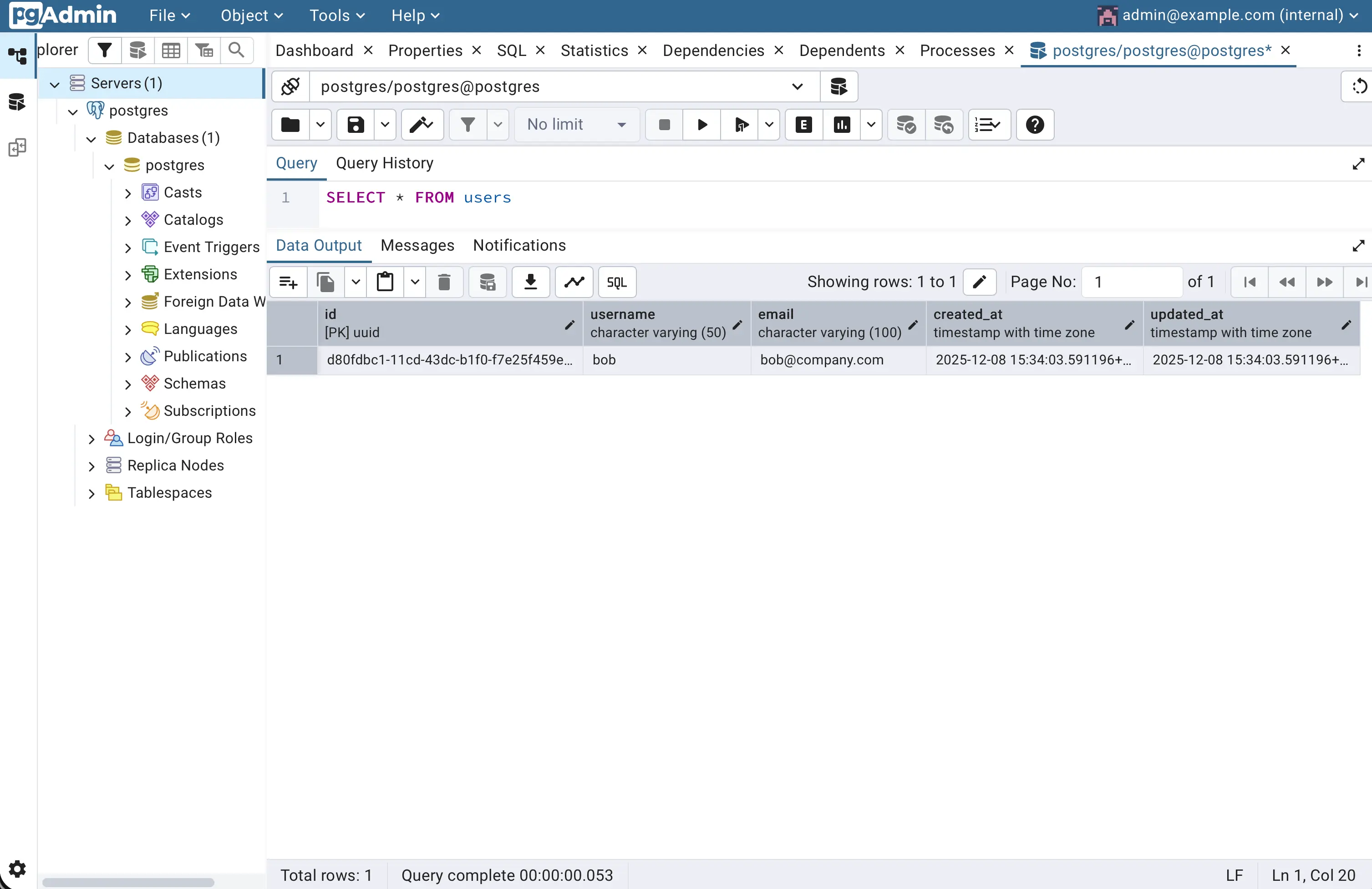
users table.A user_created event in the outbox table:
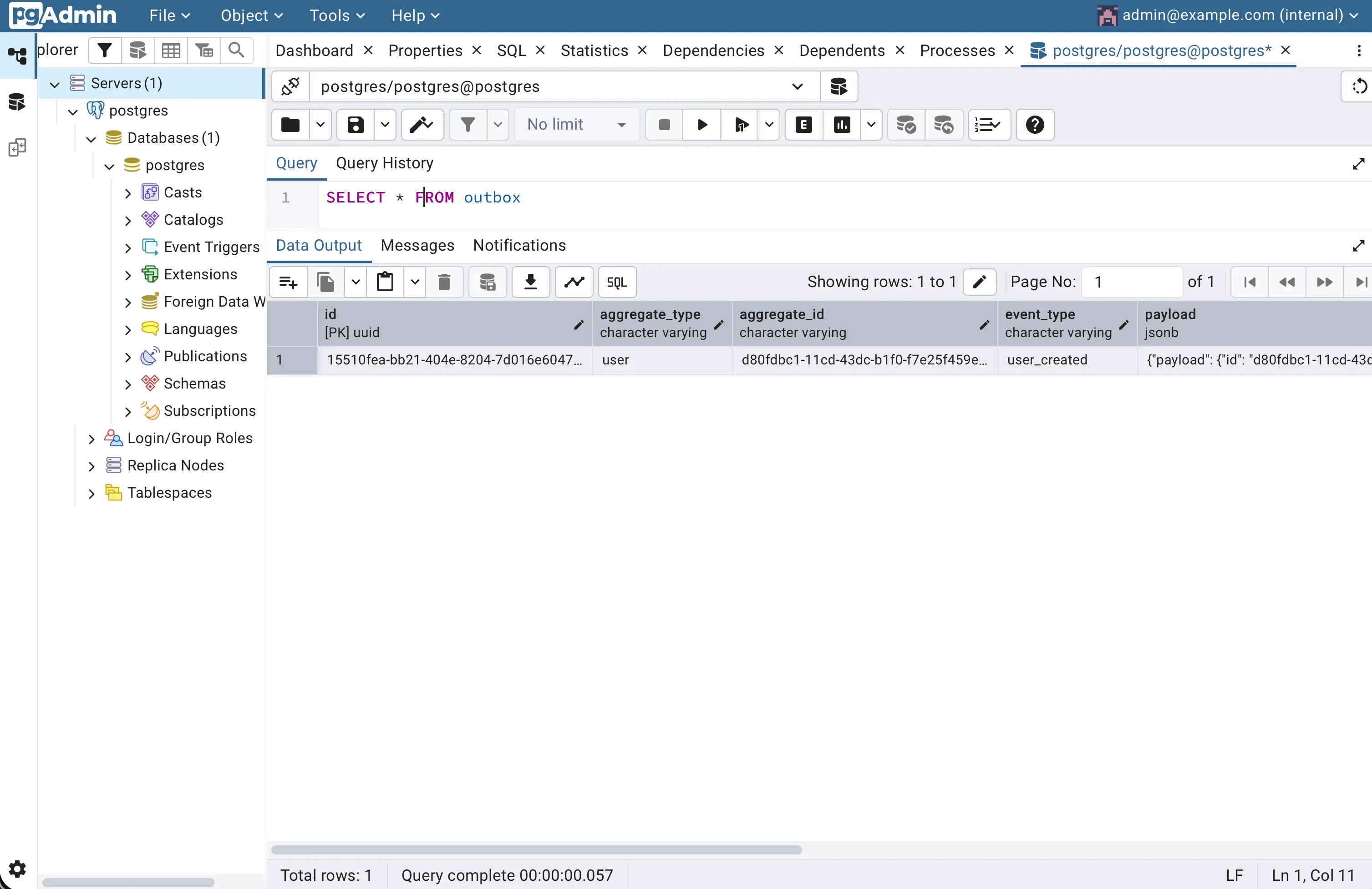
outbox table.And a message in the user-service-events topic in Redpanda Console:
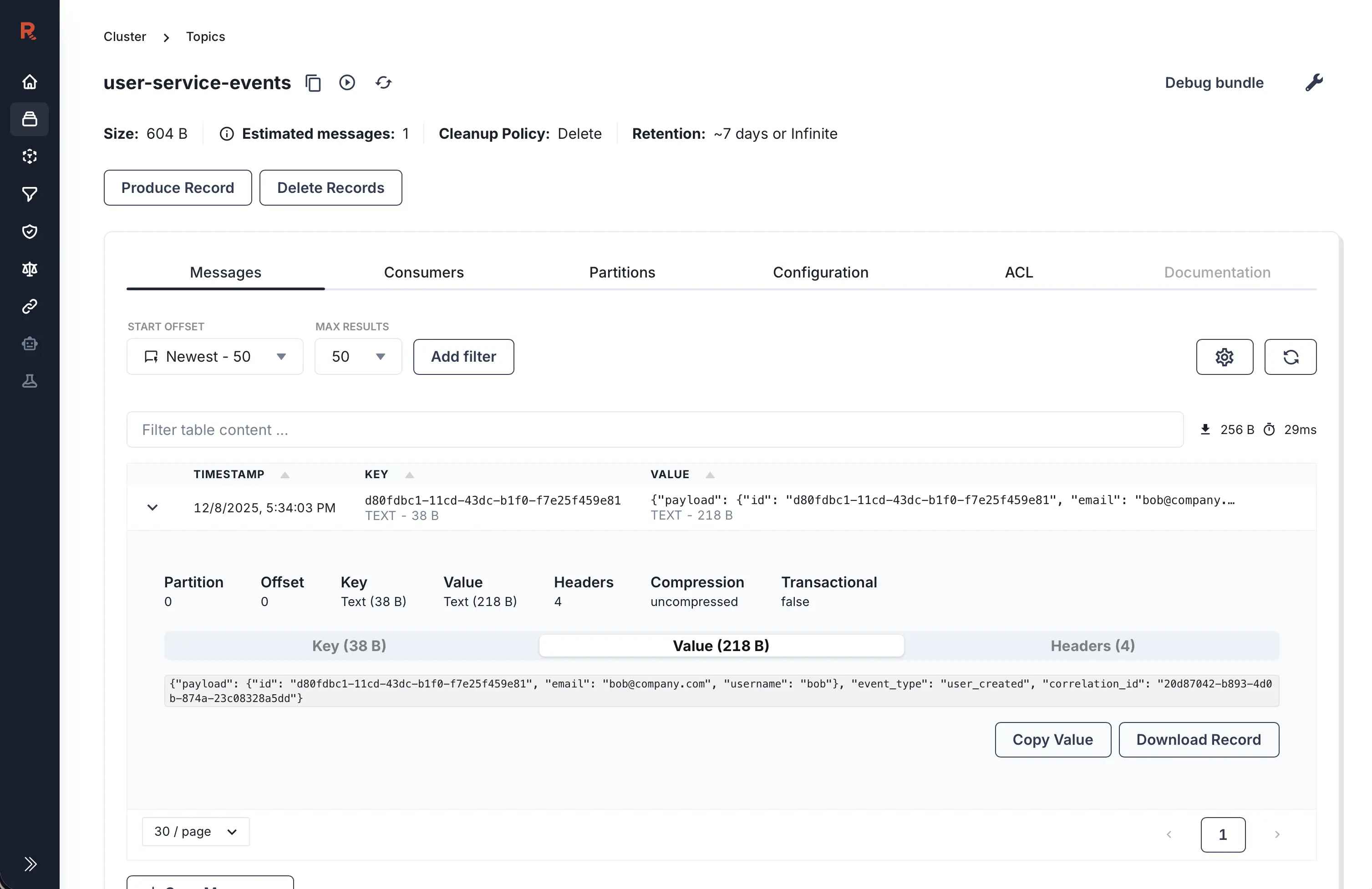
user-service-events topic.Notice that I’m wrapping my user_created event in an Envelope struct. Ideally, I’d like to use native Kafka message headers for this, but the io.debezium.transforms.outbox.EventRouter transform (which handles outbox message synchronization) doesn’t support setting headers out of the box. To achieve that, you’d need to create a custom SMT (Single Message Transform) and add it to Kafka Connect (runtime that runs Debezium connectors). I’ll cover how to do that in my next article.
It’s also worth noting that an Outbox + CDC setup uses at-least-once delivery semantics, which means downstream consumers should be idempotent.
Conclusion
Congratulations! You now have a working Outbox pattern setup using PostgreSQL, Debezium, and Kafka. This approach avoids polling delays, reduces database load, and scales better than the naive outbox polling approach.
But can we make it even better? Absolutely. In my next article, I’ll walk you through some improvements that take this setup to the next level.
The full code is available in the GitHub repository for experimentation.
I’d love to hear your thoughts on this setup - drop a comment below if you try it out!