Reliable Event Publishing: Outbox Pattern with PostgreSQL, Debezium, and Kafka (Part II)
The first articlegot us a solid Outbox setup, but it wasn’t perfect. A single outbox table can easily become a bottleneck if you’re writing a lot of data, and lock contention can become a real headache when multiple processes are trying to write at the same time. On top of that, keeping the table from growing out of control means running a separate cleanup process - extra work for both you and your database. In this article, we’ll tackle these problems and make our events pipeline go brrr!
Skipping the Outbox Table: Writing Straight to WAL
In the first article, we relied on PostgreSQL’s WAL (Write-Ahead Log), which not only records data changes in real time (making CDC possible) but is also optimized for high write throughput. It turns out that it’s possible to write data directly to the WAL, bypassing the outbox table entirely. PostgreSQL provides an easy-to-use function for this: pg_logical_emit_message(). This means we can get rid of the outbox table, removing a potential bottleneck and eliminating the need for a separate outbox cleanup process. Sweet! Next, let’s roll up our sleeves and get it set up.
Updating Application Code
Let’s update our Rust app so that it uses pg_logical_emit_message() instead of the outbox table:
use anyhow::Result;
use sqlx::PgPool;
use uuid::Uuid;
mod events;
mod models;
use std::collections::HashMap;

#[tokio::main]
async fn main() -> Result<()> {
    let pool = PgPool::connect("postgres://postgres:password@localhost/postgres").await?;

    let mut tx = pool.begin().await?;

    let user = models::User {
        id: Uuid::new_v4(),
        username: "bob".into(),
        email: "".into(),
    };

    sqlx::query!(
        r#"
        INSERT INTO users (id, username, email)
        VALUES ($1, $2, $3)
        "#,
        user.id,
        &user.username,
        &user.email,
    )
    .execute(&mut *tx)
    .await?;

    let evt = events::UserCreatedEvent {
        id: user.id,
        username: user.username,
        email: user.email,
    };

    let mut msg_headers = HashMap::new();
    msg_headers.insert("event_type".into(), "user_created".into());
    msg_headers.insert("correlation-id".into(), Uuid::new_v4().into());

    let evt_metadata = events::EventMetadata {
        topic: "user-service-events".into(),
        message_key: user.id.into(),
        message_headers: msg_headers,
    };

    let wal_message_prefix = serde_json::to_string(&evt_metadata)?;
    let wal_message_content = serde_json::to_string(&evt)?;

    sqlx::query(
        r#"
        SELECT pg_logical_emit_message(true, $1, $2)
        "#,
    )
    .bind(wal_message_prefix)
    .bind(wal_message_content)
    .execute(&mut *tx)
    .await?;

    tx.commit().await?;

    println!("Created user {} and outbox event", user.id);

    Ok(())
}
Notice that instead of publishing an EventEnvelope wrapper like in the previous article, I provide the user_created event directly to pg_logical_emit_message()as the third argument (called content). I’ve also created an EventMetadata struct, which I pass as the second argument (called prefix).
use serde::Serialize;
use std::collections::HashMap;
use uuid::Uuid;

#[derive(Serialize, Debug)]
pub struct EventMetadata {
    pub topic: String,
    pub message_key: String,
    pub message_headers: HashMap<String, String>,
}
I’ll explain the reasoning behind having EventMetadata and using it as WAL message prefix in the next chapter.
Creating a Custom SMT
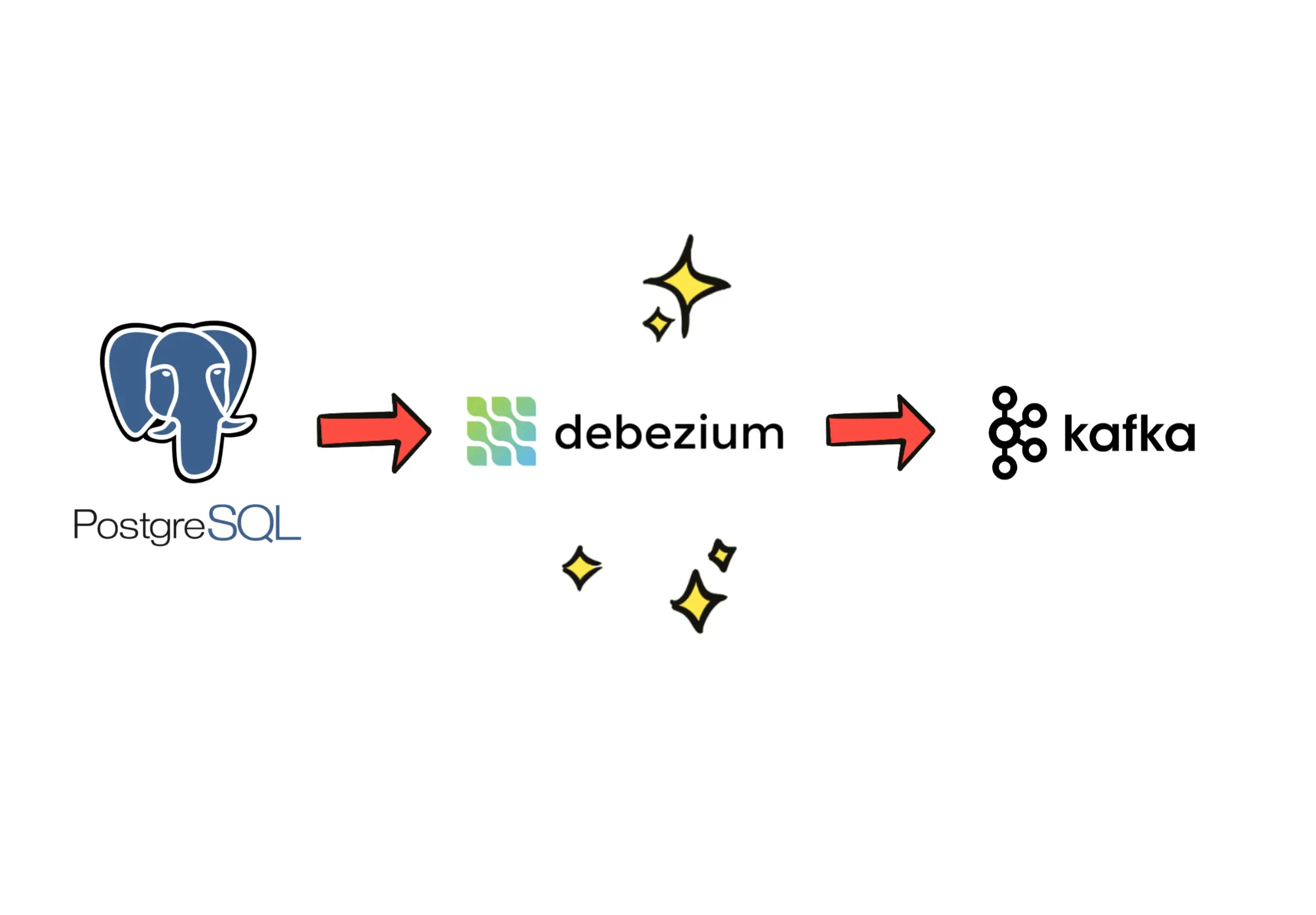
Let’s talk about Debezium. Debezium is a set of CDC (Change Data Capture) connectors that stream database changes into Kafka. Debezium’s connectors are built using the Kafka Connect framework and run inside the Kafka Connect runtime. One of the key features of Kafka Connect is SMTs (Single Message Transformations) - lightweight, per-record transformations that let developers modify, filter, reshape, or route individual messages as they pass through a connector, without writing a full custom connector.
In the previous article, we used Debezium’s EventRouter SMT to transform our outbox table records and route them to Kafka:
...
"transforms": "outbox",
"transforms.outbox.type": "io.debezium.transforms.outbox.EventRouter",
...
The problem is, EventRouter requires an outbox table, which we no longer have since we’re writing directly to the WAL using pg_logical_emit_message(). On top of that, it doesn’t allow custom topic routing based on the event payload.
To solve this, we can create an EventMetadata struct that holds routing information such as the topic and message_key. We can send this struct as the WAL message prefix and parse it later to route messages correctly. Since we’re doing this, we need to build a custom SMT in Java (or Scala).
Another improvement: in the previous article, we passed Kafka message headers inside the EventWrapper struct. Personally, I’m not a fan of that - it’s less efficient for routing, tracing, and filtering than native Kafka headers. Since we’re building a custom SMT anyway, we can include event_headers HashMap in our EventMetadata struct and use it to set native Kafka headers.
With that in place, we can create a Java-based PostgresWalSmt SMT that parses WAL messages, extracts routing info and headers, and forwards them to the provided Kafka topic:
package custom.smt;

import com.fasterxml.jackson.databind.JsonNode;
import com.fasterxml.jackson.databind.ObjectMapper;
import org.apache.kafka.common.config.ConfigDef;
import org.apache.kafka.connect.connector.ConnectRecord;
import org.apache.kafka.connect.data.Schema;
import org.apache.kafka.connect.data.Struct;
import org.apache.kafka.connect.errors.DataException;
import org.apache.kafka.connect.header.ConnectHeaders;
import org.apache.kafka.connect.transforms.Transformation;

import java.nio.charset.StandardCharsets;
import java.util.Map;

public class PostgresWalSmt<R extends ConnectRecord<R>> implements Transformation<R> {

    private static final ObjectMapper mapper = new ObjectMapper();

    @Override
    public R apply(R record) {
        var value = record.value();
        if (!(value instanceof Struct rootStruct)) {
            if (value == null) {
                return record;
            }

            throw new DataException("Record is expected to be 'Struct'.");
        }

        var messageStruct = rootStruct.getStruct("message");
        if (messageStruct == null) {
            throw new DataException("Missing 'message' section in record.");
        }

        var prefixString = messageStruct.getString("prefix");
        if (prefixString == null) {
            throw new DataException("Missing 'prefix' section in message.");
        }

        JsonNode prefixNode;
        try {
            prefixNode = mapper.readTree(prefixString);
        } catch (Exception e) {
            throw new DataException("Failed to parse prefix JSON", e);
        }

        var topicNode = prefixNode.get("topic");
        if (topicNode == null || topicNode.isNull()) {
            throw new DataException("Missing 'topic' in prefix.");
        }
        var topic = topicNode.asText();

        var messageKeyNode = prefixNode.get("message_key");
        if (messageKeyNode == null || messageKeyNode.isNull()) {
            throw new DataException("Missing 'message_key' in prefix.");
        }
        var messageKey = messageKeyNode.asText();

        var headersNode = prefixNode.get("message_headers");
        if (headersNode == null || !headersNode.isObject()) {
            throw new DataException("Missing 'message_headers' in prefix.");
        }

        var newHeaders = new ConnectHeaders();
        var fields = headersNode.fields();
        while (fields.hasNext()) {
            var field = fields.next();
            newHeaders.add(field.getKey(), field.getValue().asText(), Schema.STRING_SCHEMA);
        }

        var contentBytes = messageStruct.getBytes("content");
        if (contentBytes == null) {
            throw new DataException("Missing 'content' in message.");
        }

        return record.newRecord(
                topic,
                null,
                Schema.STRING_SCHEMA,
                messageKey,
                Schema.STRING_SCHEMA,
                new String(contentBytes, StandardCharsets.UTF_8),
                record.timestamp(),
                newHeaders);
    }

    @Override
    public ConfigDef config() {
        return new ConfigDef();
    }

    @Override
    public void configure(Map<String, ?> configs) {
    }

    @Override
    public void close() {
    }
}
Make sure your Java project is configured correctly:
plugins {
    id 'java'
}

java {
    sourceCompatibility = JavaVersion.VERSION_21
    targetCompatibility = JavaVersion.VERSION_21
}

repositories {
    mavenCentral()
}

dependencies {
    implementation "org.apache.kafka:connect-api:4.0.0"
    implementation "com.fasterxml.jackson.core:jackson-databind:2.17.2"
}

tasks.withType(JavaCompile) {
    options.encoding = 'UTF-8'
}

jar {
    archiveBaseName.set("postgres-wal-smt")
    archiveVersion.set("1.0.0")
}
Let's build the SMT with:
./gradlew clean buildSave the resulting .jar file somewhere accessible and register its path using the CONNECT_PLUGIN_PATH environment variable in your Debezium Docker Compose setup:
debezium-connect:
  image: quay.io/debezium/connect
  depends_on:
    - redpanda
    - postgres
  ports:
    - "8083:8083"
  environment:
    BOOTSTRAP_SERVERS: redpanda:9092
    GROUP_ID: 1
    CONFIG_STORAGE_TOPIC: connect_config
    OFFSET_STORAGE_TOPIC: connect_offsets
    STATUS_STORAGE_TOPIC: connect_status
    KEY_CONVERTER: org.apache.kafka.connect.json.JsonConverter
    VALUE_CONVERTER: org.apache.kafka.connect.json.JsonConverter
    CONFIG_STORAGE_REPLICATION_FACTOR: 1
    OFFSET_STORAGE_REPLICATION_FACTOR: 1
    STATUS_STORAGE_REPLICATION_FACTOR: 1
    CONNECT_PLUGIN_PATH: "/kafka/connect,/kafka/plugins"
  volumes:
    - ./plugins:/kafka/plugins
Update register-connector.json to use the new SMT:
{
    "name": "postgres-outbox-connector",
    "config": {
        "connector.class": "io.debezium.connector.postgresql.PostgresConnector",
        "database.hostname": "postgres",
        "database.port": "5432",
        "database.user": "postgres",
        "database.password": "password",
        "database.dbname": "postgres",
        "database.server.name": "postgres",
        "plugin.name": "pgoutput",
        "topic.prefix": "postgres",
        "slot.name": "user_service_slot",
        "slot.drop.on.stop": "false",
        "publication.name": "dummy_publication",
        "include.logical.messages": "true",
        "logical.decoding.msg.prefix.include": "true",
        "key.converter": "org.apache.kafka.connect.storage.StringConverter",
        "value.converter": "org.apache.kafka.connect.storage.StringConverter",
        "transforms": "wal",
        "transforms.wal.type": "custom.smt.PostgresWalSmt"
    }
}
You should now delete the old connector:
curl -X DELETE http://localhost:8083/connectors/postgres-outbox-connectorOnce you do that, restart the Debezium container and register the updated connector:
curl -X POST \
  -H "Content-Type: application/json" \
  --data @register-connector.json \
  http://localhost:8083/connectors
Now our setup is ready to run.
Running the Application
Let's run our application:
cargo runCheck Redpanda Console - you should see a new messages there.
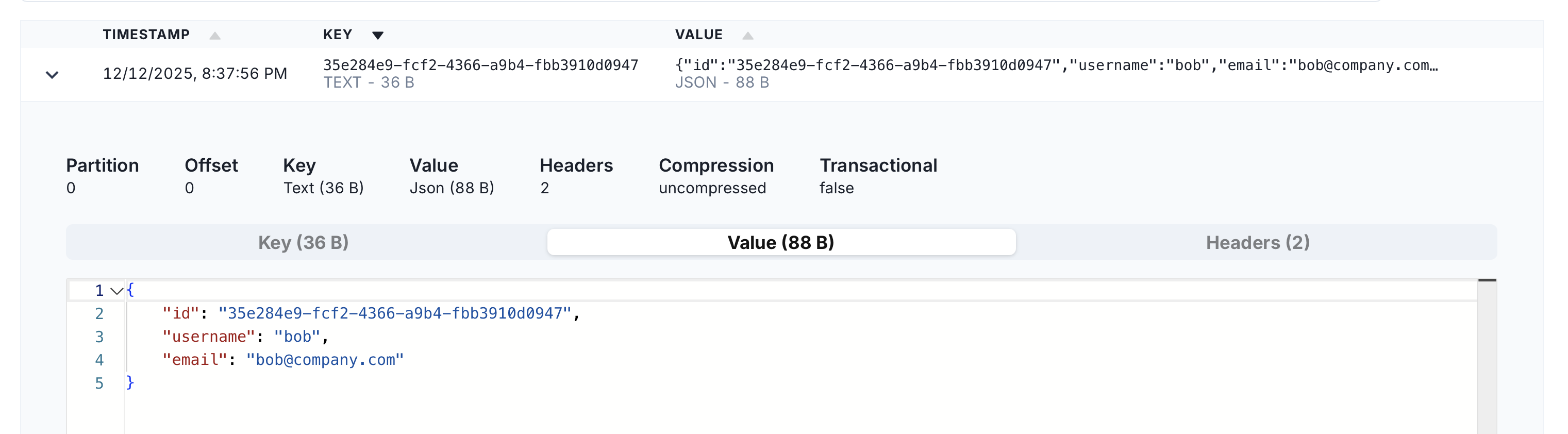
user_created event value.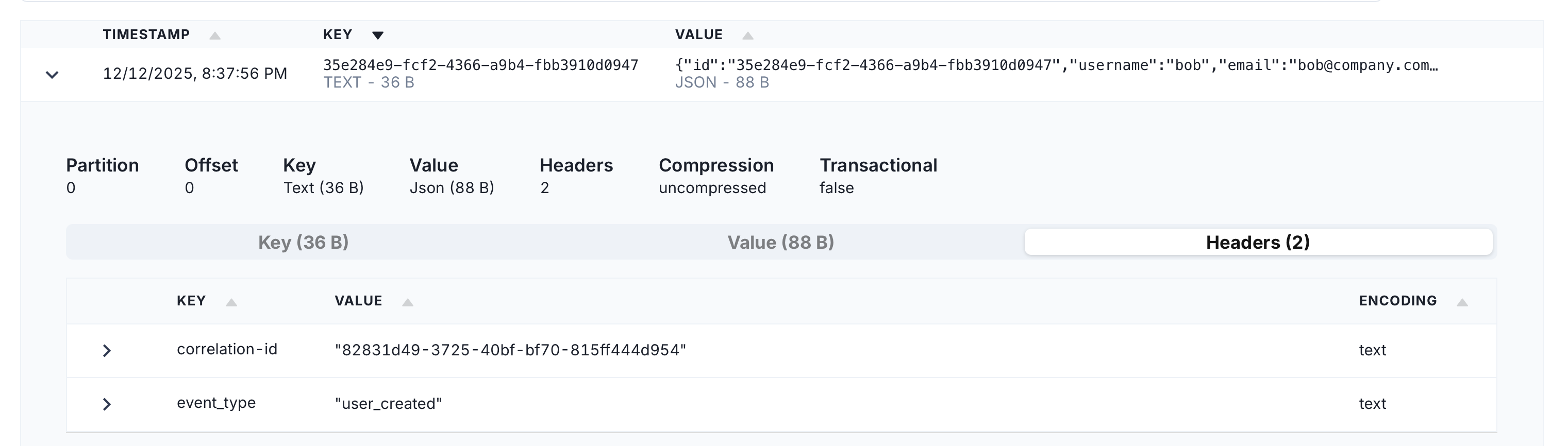
user_created event headers.Feels good, right?
Conclusion
By writing directly to the WAL and using a custom SMT, we removed the outbox table bottleneck and eliminated the need for a separate cleanup process. This streamlines our event publishing pipeline, making it faster, cleaner, and just generally more awesome.
There are still ways to make this publishing setup nicer and ready for production use (like introducing message schemas, better error handling, and other tweaks) but I’ll save those topics for future articles.
The full code is available in the GitHub repositoryfor experimentation.
Give it a try, and let me know what you think. Bonus points if it actually makes you say ‘wow, that’s way faster!’